
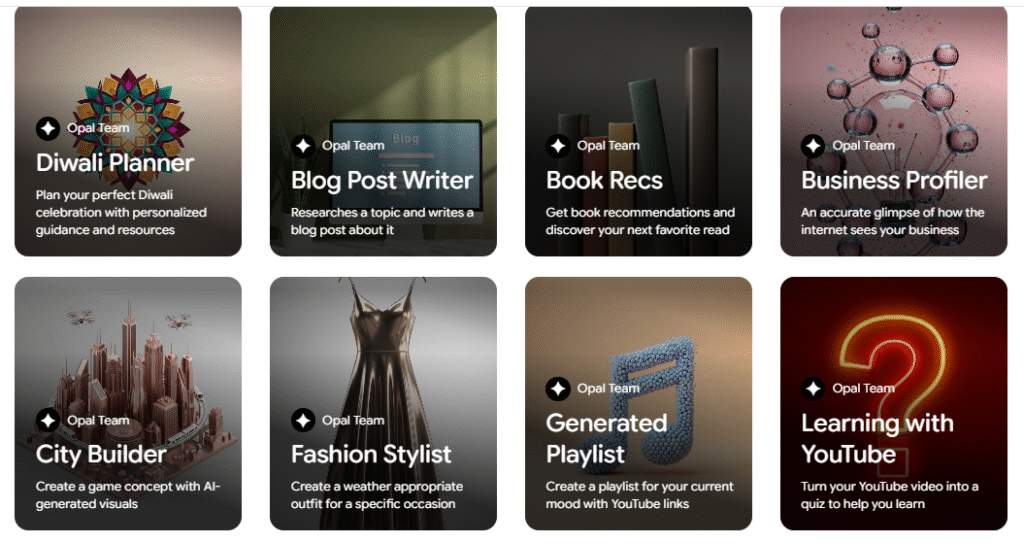
Remember the moment you first opened a code editor and thought, “This could do so much — if only it didn’t require so much… typing”? Opal is one of those tools that tries to rescue you from that flash of despair and hand you a bright, scaffolded playground instead. It’s a product from Google Labs that turns plain English into working, editable AI workflows — mini-apps you can tweak, share, and iterate on without wrestling with infrastructure or boilerplate.
Below I’ll explain what Opal is (without the corporate buzz), why it matters, how it feels to actually use it, and then I’ll give you a simple, copy-paste-friendly example to build a tiny chatbot so you can try it in minutes.
Opal is a visual, no-code environment for composing multi-step AI tasks. You describe what you want in natural language, Opal translates that into a visual workflow made of nodes (think: little boxes that do one thing, like “ask the user a question,” “call a model,” “save to a sheet,” or “send an email”), and then you can edit every step by talking to the editor or dragging things around. It hosts the app for you, so sharing is a click away. In short: describe → Opal builds a workflow → you polish → you publish.
Why that’s notable: tools that let you prototype an idea in minutes — not days — change the kinds of things creators try. Opal’s goal is to make those prototypes not just throwaway experiments but shareable, editable mini-apps.
Why people are excited
- Speed & clarity — Instead of plumbing APIs and wiring UIs, you can focus on the human logic: what the workflow should ask, decide, and do. That’s huge when you’re validating an idea.
- Chainability — Opal is built around chaining small AI tasks (prompts, model calls, connectors). That means you can build richer apps than a single chat reply — e.g., ask user preferences → call a model to rank options → write an email summarizing the result.
- No hosting headaches — Opal handles hosting and sharing so you can hand someone a link and they can use your mini-app immediately.
- Designed for remix — The visual editor encourages iteration. You (or a teammate) can tweak a step in seconds and immediately see the effect. This matters for teams that need to test different prompt phrasings, data sources, or branching logic.
Think of Opal like a friendly workshop bench: it gives you the tools, the clamps, and a shared table — you bring the idea, and the bench helps make a working version fast.
How Opal feels to use
Imagine you’re making a tiny helper that recommends lunch spots for a coworker. Instead of writing routes through functions, you type: “Make an app that asks for the user’s cuisine preference and distance, then suggests three nearby options and emails them a short summary.” Opal creates a chain of steps: input → filter → rank → format email → send. You click a node, tweak the prompt language to sound friendlier, test it with sample inputs, and then share the app link. It’s a conversation with a tool that knows how to scaffold an app out of your words.
That conversational, iterative back-and-forth is where Opal shines — it turns “I wish I could build X” into “Oops, I already built a working X; let’s make it warmer.”

A simple example: build a tiny “Coffee Buddy” chatbot
This is copy-paste friendly: treat the text inside the triple quotes as the description you’d paste into Opal’s “Describe what you want to build” box. The example deliberately keeps the flow tiny so you can finish it in five minutes.
Paste this description into Opal
Make a friendly "Coffee Buddy" chatbot mini-app.
Flow:
1) Greet the user and ask their name.
2) Ask what kind of coffee or drink they prefer (espresso, latte, tea, black).
3) If they choose coffee, ask how many cups per day (1-5).
4) Return a friendly recommendation (size, strength, quick brewing tip) and a one-line fun fact about coffee.
5) Display a "Save preference" button that saves name + preference to a simple table.
Make the tone warm and conversational.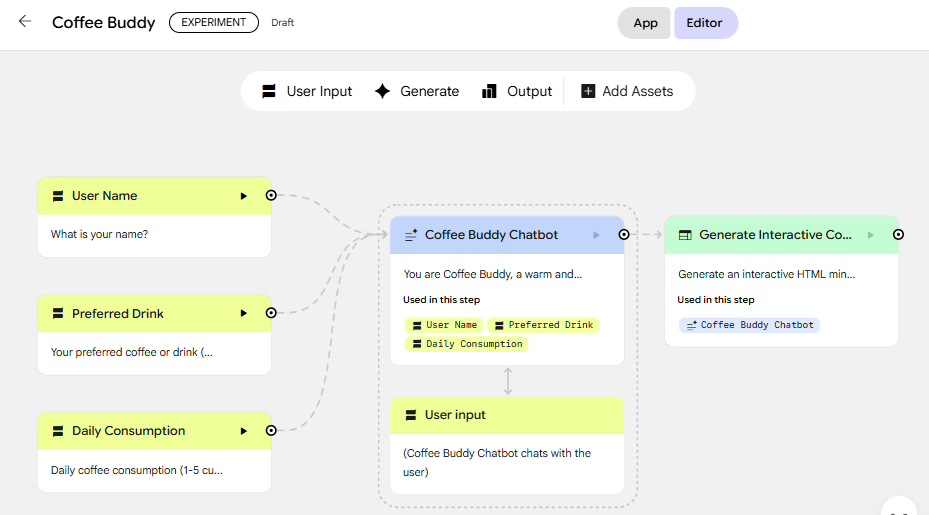
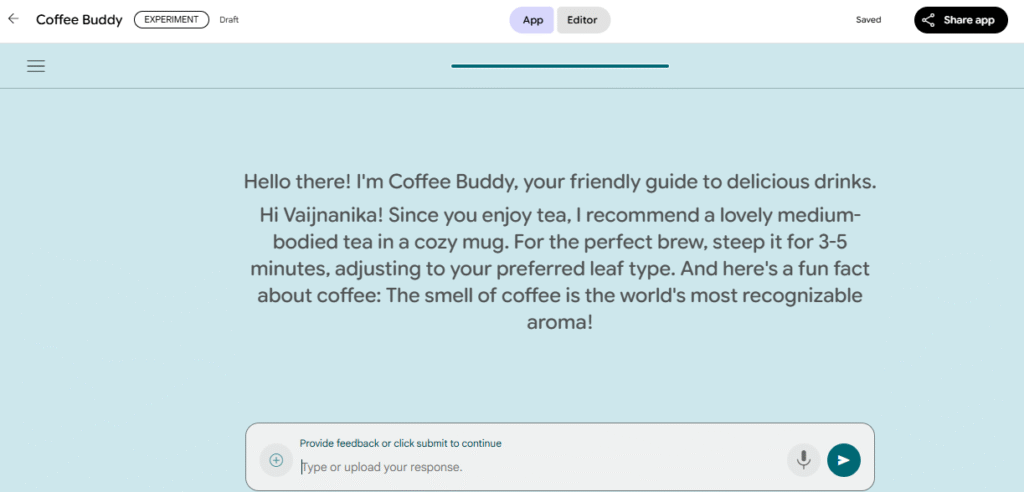
Example conversation
Pro tips — writing prompts that behave
- Be explicit about format — ask for JSON when you want machine-readable outputs.
- Use few-shot examples for tricky mappings (e.g., symptom → diagnosis) so the model learns your desired output style.
- Localize tone — add a line like “sound like a friendly barista in under 40 words” to force concise, human copy.
- Guardrails — if your app gives safety-sensitive advice (legal, medical, food-safety), add a short disclaimer in the prompt so the assistant defers to experts.
- Test with extremes — feed weird inputs and tune fallback prompts (e.g., “If user input is gibberish, ask to clarify”) so your app doesn’t break in the wild.
Limitations and things to watch for
- Not a replacement for careful engineering — Opal is ideal for prototyping and many lightweight internal tools, but production systems with heavy traffic, strict latency, or stringent compliance needs may still require custom engineering.
- Prompt drift — iterative edits can produce surprising outputs; lock down critical steps with clear format constraints.
- Data & privacy — avoid sending private, regulated, or sensitive data unless you’ve verified storage/retention with your organization. Test connectors and review defaults for data retention.
Opal is like a new friend who knows the parts of product building you’d rather not wrestle with: hosting, choreographing steps, and wiring simple connectors — and who’s happy to let you take control when you want to refine a single interaction. If you love the idea of sketching an app in plain English and getting a working, shareable thing back, Opal makes that a joyful, fast loop.

It is very interesting